# Fastly
You can integrate the First-id solution directly into your site using Fastly.
To do this, we'll need to modify your domain configuration on Fastly, in order to integrate VCL Snippet (opens new window).
Free version of Fastly
This documentation is based on the free version of Fastly, and does not require subscription to a paid plan.
# Prerequisites
We assume that :
- You have a Fastly account
- You have set up a domain on Fastly (and associated TLS certificates)
- You've set up a backend on Fastly
- You have configured your DNS so that your domain points to Fastly
# Configuration
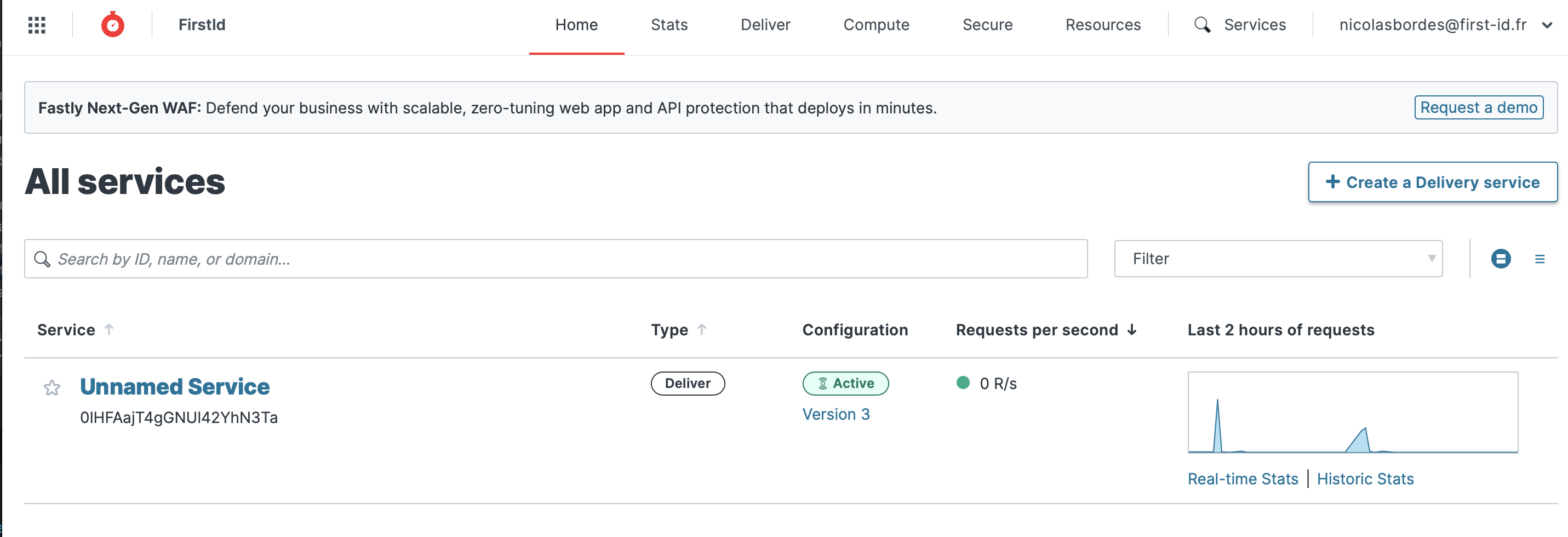
Log in to your Fastly account, go to the Home tab, and select the service corresponding to your domain.
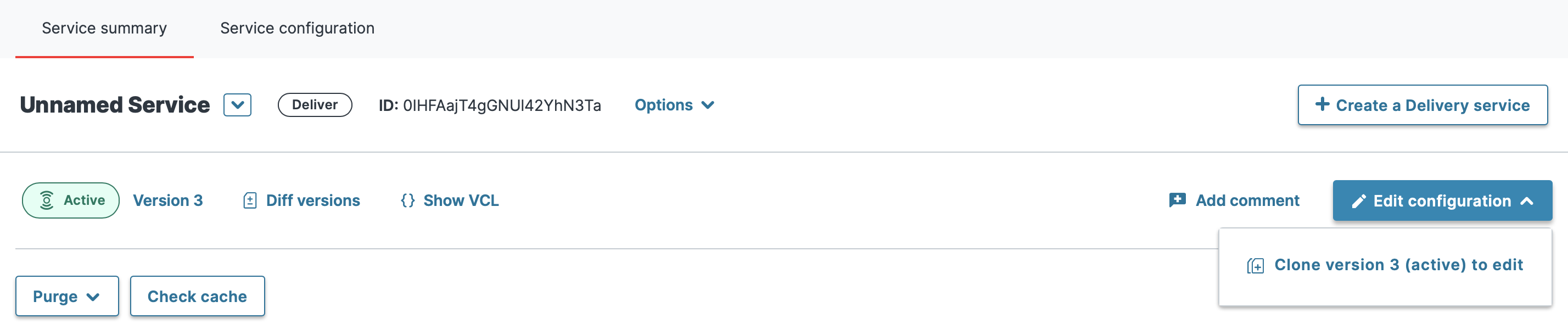
Create a new version of your configuration :
# Creating the VCL Snippet
We'll create 2 VCL snippets in 2 different subroutines :
- recv (vcl_recv) : To detect whether to redirect the user to the First-id system, or whether the request received is the redirection performed by the First-id system.
- error (vcl_error) : To perform the following operations: build the URL to the First-id system, redirect the user to the First-id system, or retrieve the ID and store it in a cookie.
# Dispatch - recv (vcL_recv)
To do this :
In the left-hand menu, click on VCL Snippets.
Click on Create snippet.
For the name of this first snippet, enter First-id Dispatch.
In type select within subroutine.
In the drop-down menu, select recv (vcl_recv).
In VCL, enter the following code :
  # you have been just redirect from First-id Gate :
  if (querystring.get(req.url, "firstId")
      && querystring.get(req.url, "redirectUri")
      && req.method == "GET"
  )
  {
      error 999 "";
  }

  # This rule must be after the previous one, to avoid infinite loop on First-id gate redirection.
  # User hasn't a First-id cookie, go to First-id gate
  # Add here your condition on User Agent to filter robot / crawler
  # Adjust the name of your consent cookie. In this example we consider if the cookie exist, user has consented
  if (req.http.Cookie !~ "firstid" && req.http.Cookie ~ "YOUR_CONSENT_COOKIE") {
      error 998 "";
  }
Click on the Create button.
Consent
Before redirecting the user, you must have obtained his consent.In the example code, we can see from the 2nd condition if that we're checking for the presence of a consent cookie named YOUR_CONSENT_COOKIE. You need to adapt the name of the consent cookie to your context.
Snippet priority
If you already have active snippets, we advise you to put First-id snippets first, using Fastly's priority system. For more information, please refer to the Fastly documentation (opens new window).
The smaller the number, the higher the priority of the snippet.
# Processing - error (vcl_error)
Click on Create snippet.
For the name of this first snippet, enter First-id Handle.
In type select within subroutine.
In the drop-down menu, select error (vcl_error).
In VCL enter the following code :
if (obj.status == 998) {
    set obj.status = 302;

    set obj.http.Location = "https://gate.first-id.fr?redirectHost=" + urlencode("https://"+req.http.host) + "&redirectUri=" + urlencode(req.url);

    return(deliver);
  }

  if (obj.status == 999) {
    set obj.status = 302;
    # adjust your scheme if needed, in local we have only access on HTTP
    set obj.http.Location = "https://" + req.http.host + urldecode(querystring.get(req.url, "redirectUri"));

    # Cookie set section :
    # the separator char = ";"
    # maybe add "Secure;" to ensure HTTPS usage only
    # Optional : add your domain with your ";domain= <YOUR_DOMAIN>" or use req.http.host
    # MaxAge : 1day = 86400 seconds
    # in this exemple : 15 552 000 seconds = 180 days
    set obj.http.Set-Cookie = "firstid="+ querystring.get(req.url, "firstId") +"; path=/; Max-Age=15552000";


    return(deliver);
  }
Click on the Create button.
Cookie
You have to create a Secure cookie on your main domain (see Cookie deposit).
In the example, we can see that the cookie that will contain the First-id identifier is named firstid, you can change this according to your context. Similarly, here the cookie is valid for 180 days : you can change this to suit your context.
URL encoding
The redirectHost and redirectUri parameters must be encoded in urlEncode to be correctly interpreted.
HTTPOnly
To retrieve the firstid cookie in client-side JavaScript, we do not recommend setting the httpOnly attribute.
When finished, you should have this :
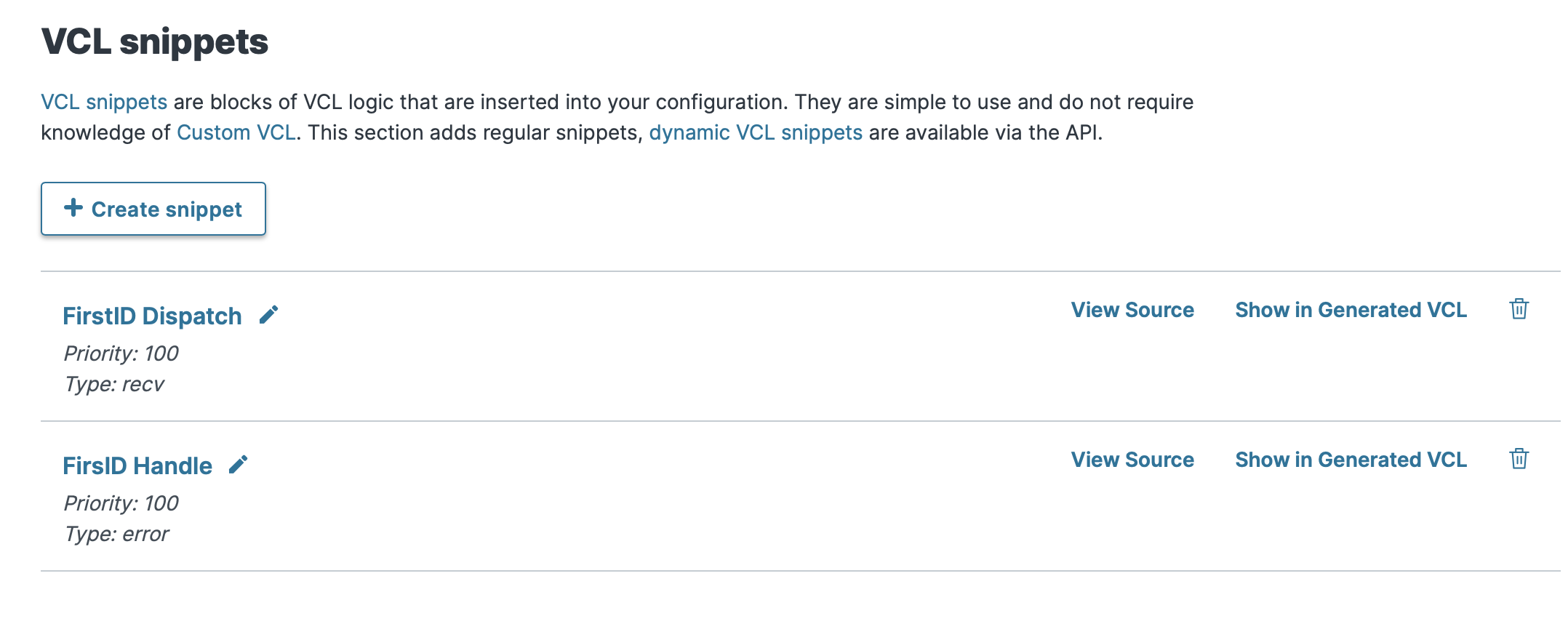
You can now activate your new configuration via the Activate button in the top right-hand corner.
Preserve User Referrer
To preserve the referrer of my user, I must take several actions described here.
Excluding Redirections
Warning, you should not perform redirections for the following file types:
jpe?g|gif|png|json|js|woff2?|map|css|svg|ico|bmp|xml|ttf|txt
Please add a filter on these file types in your configuration.
← Cloudflare Varnish →

Copyright © 2025 First-id